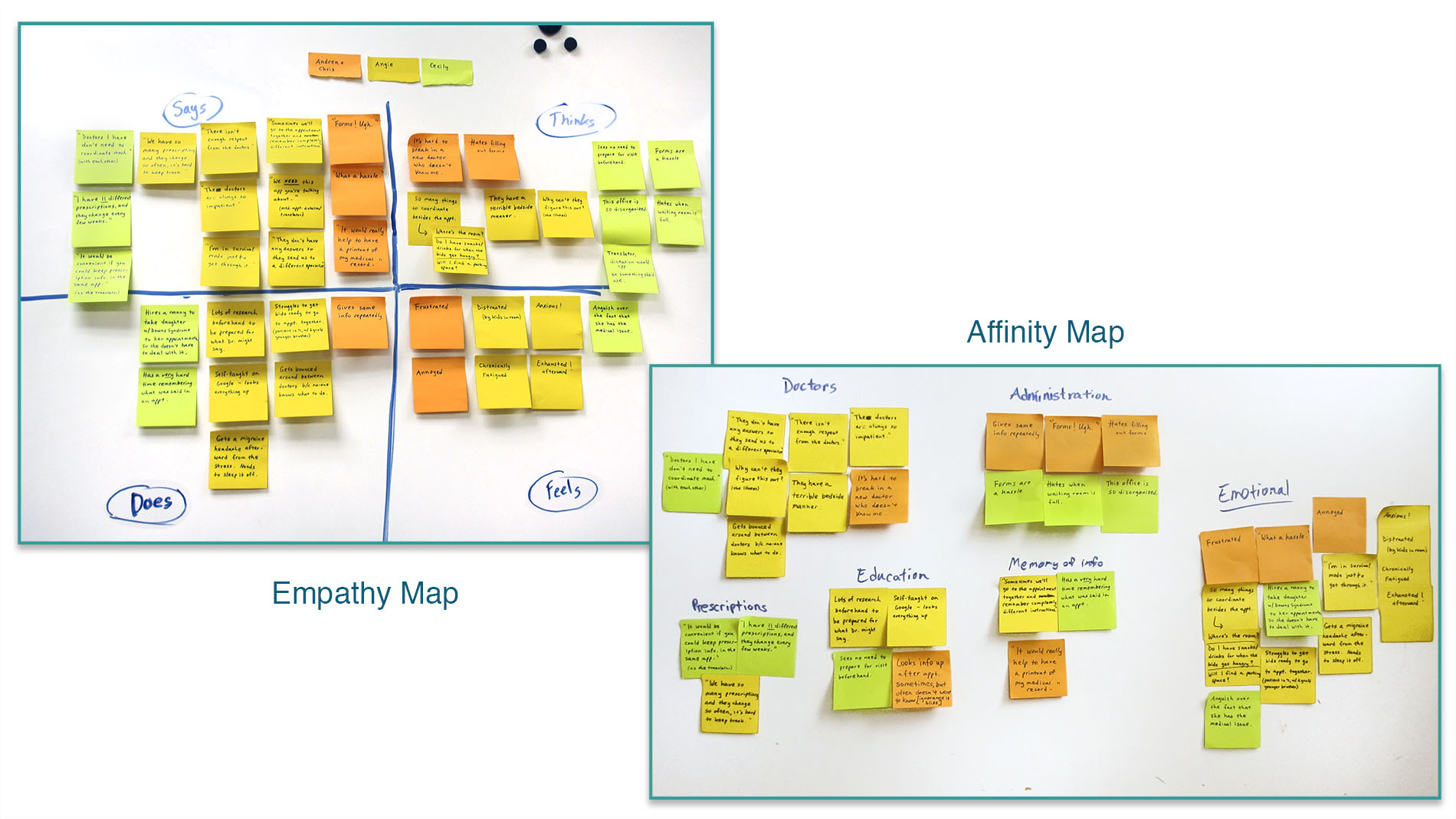
Understanding the User
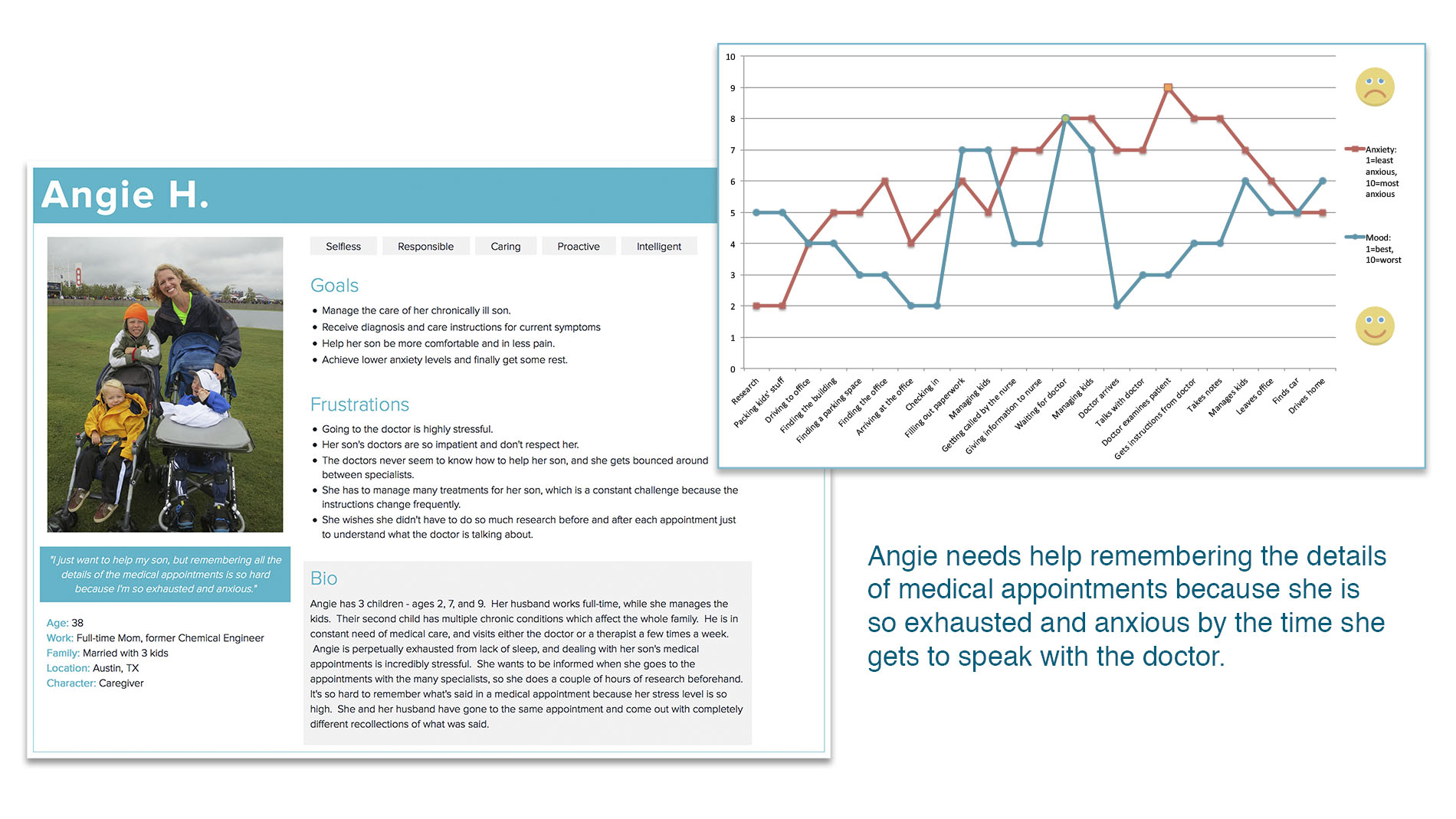
Angie is one of the people I interviewed, and the persona and journey map shown here are derived from the notes from my conversation with her.
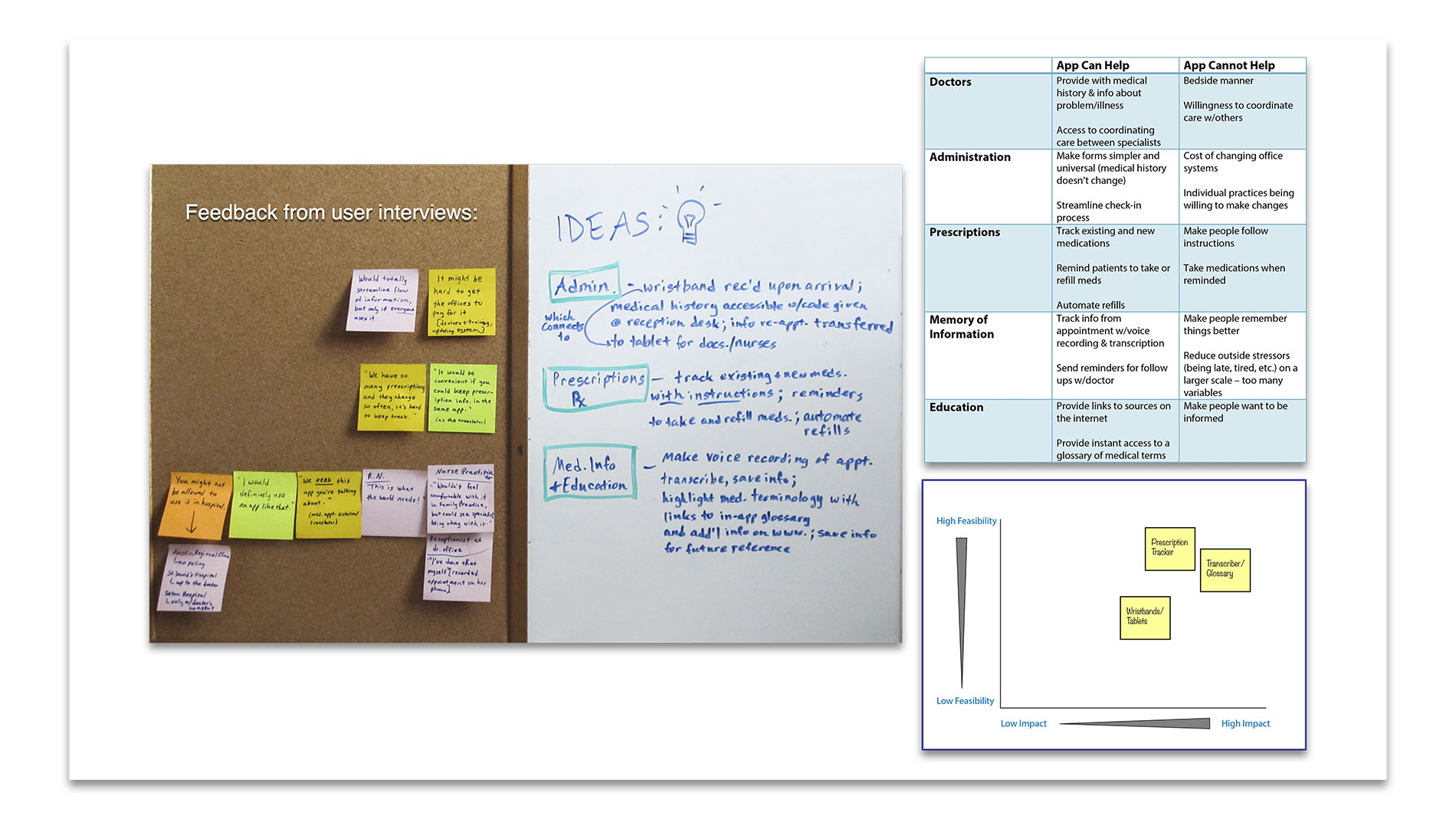
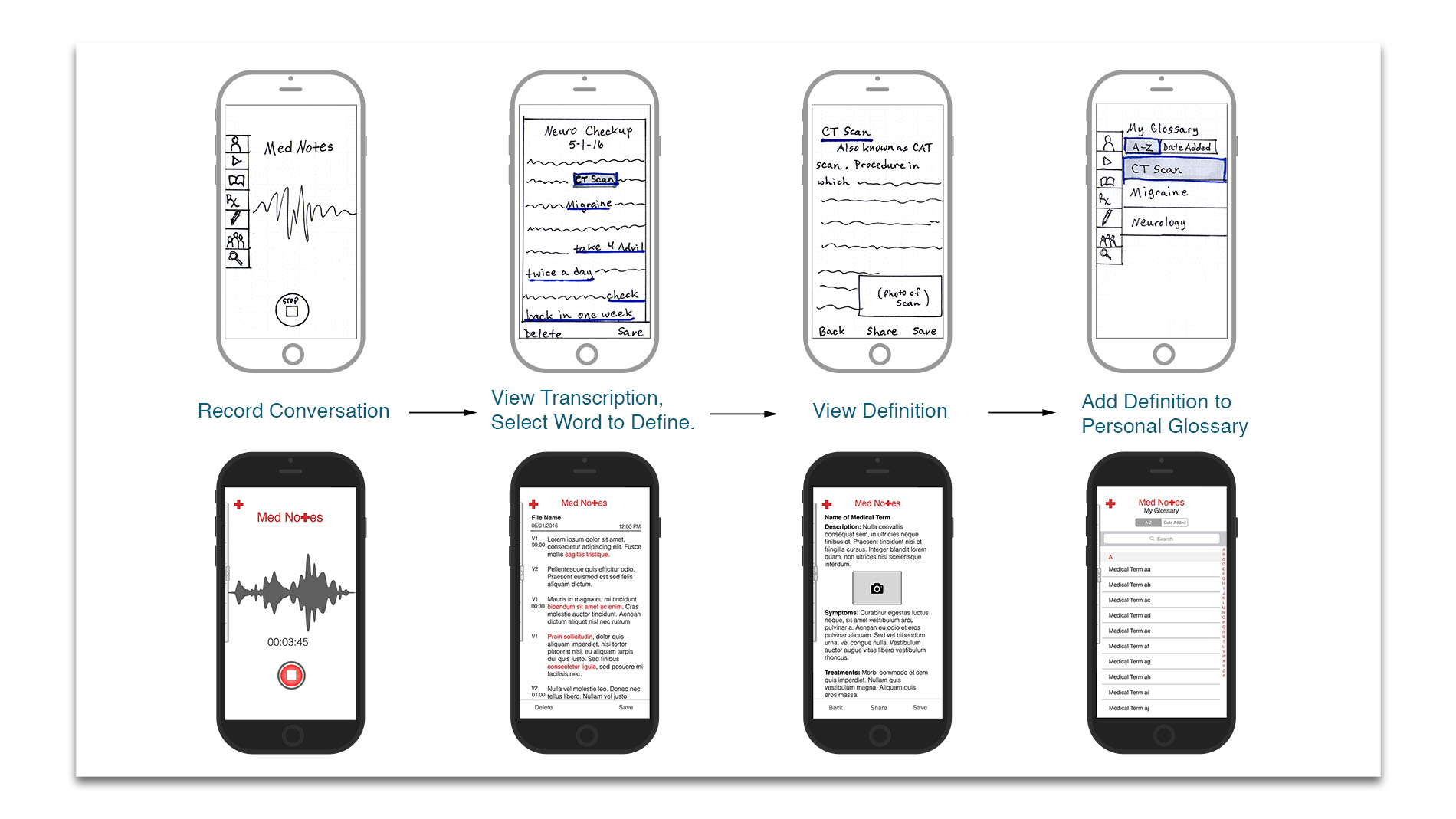
Sketches & Wireframes
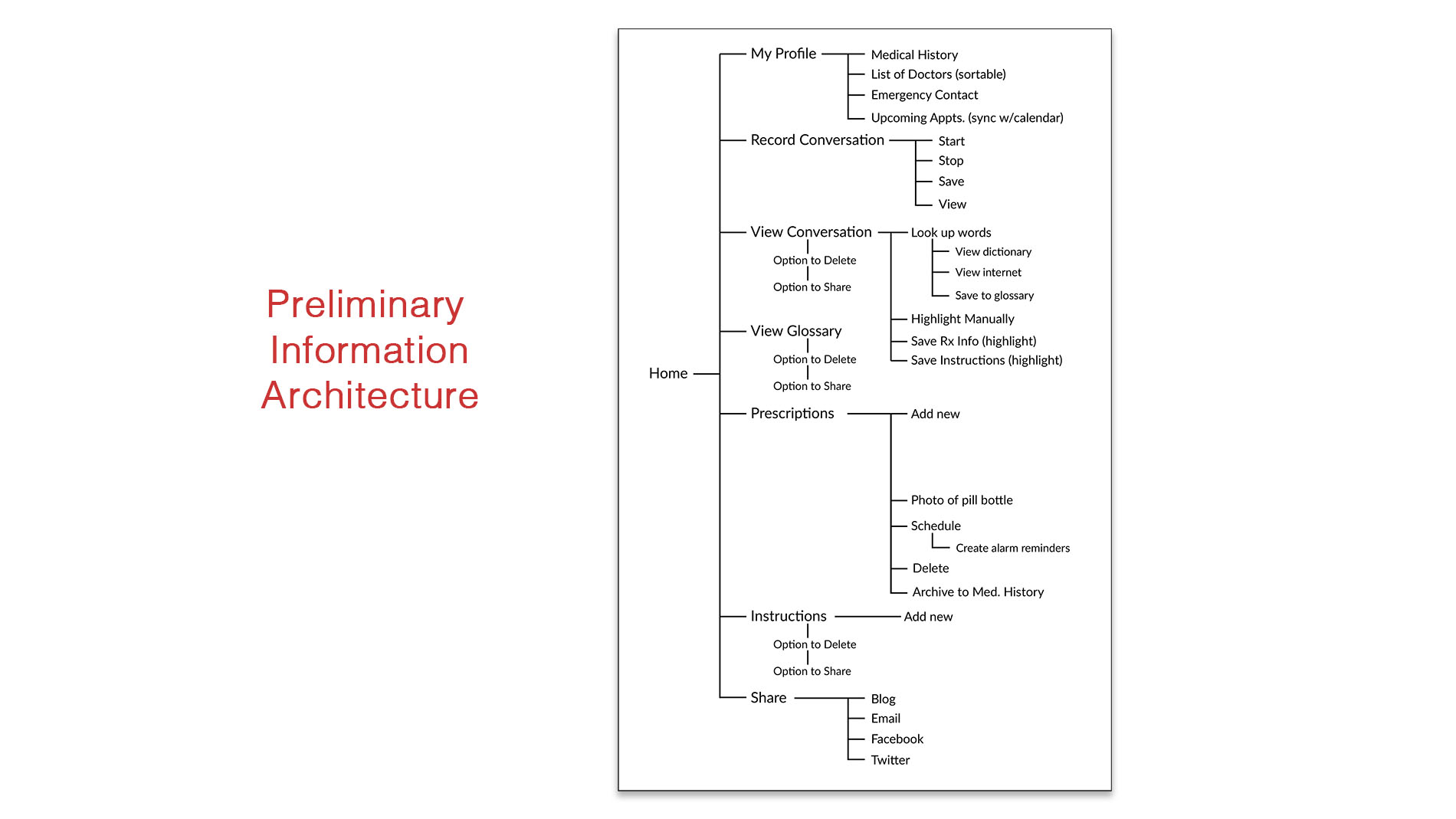
User Flow
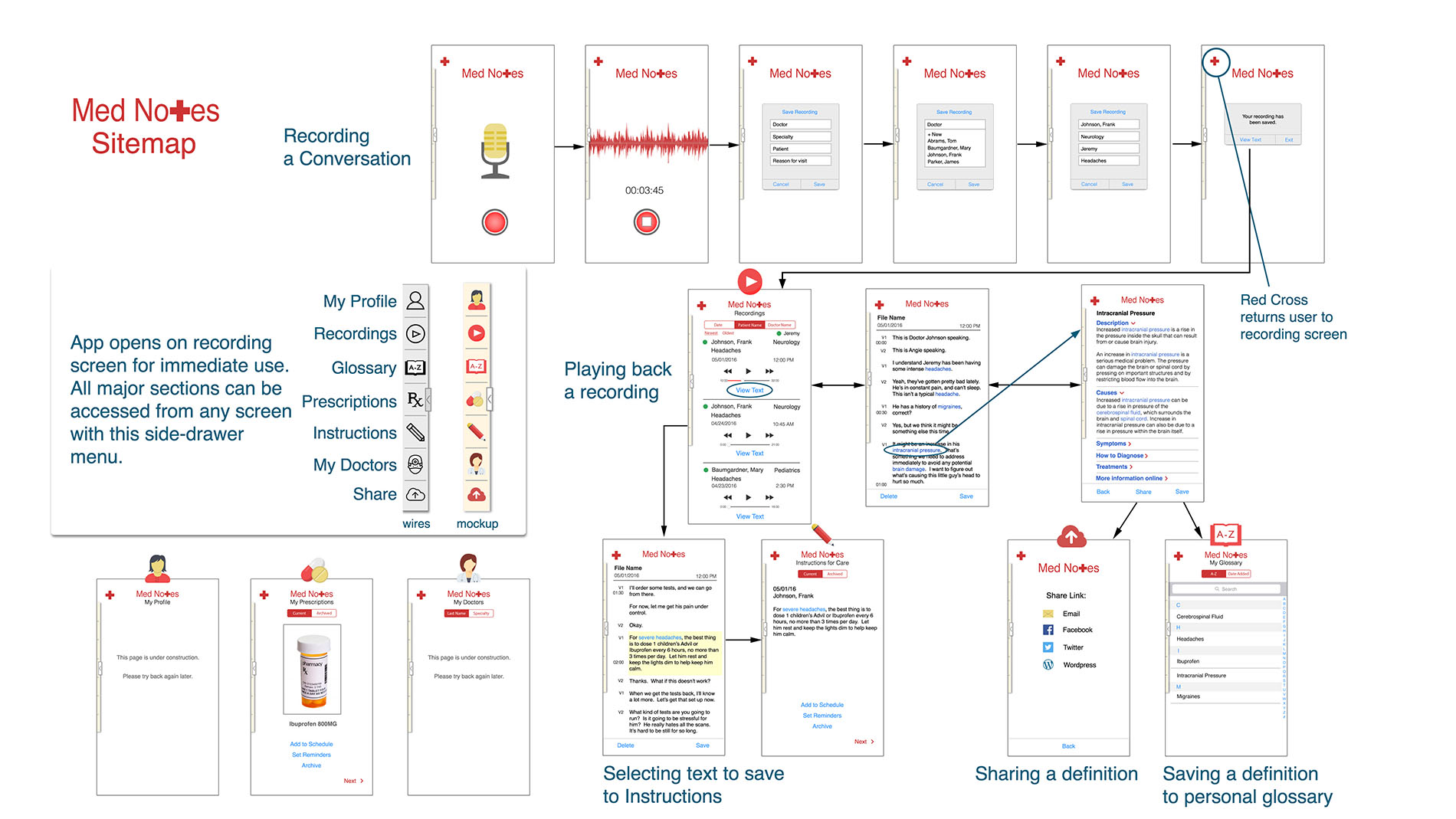
Visual Design
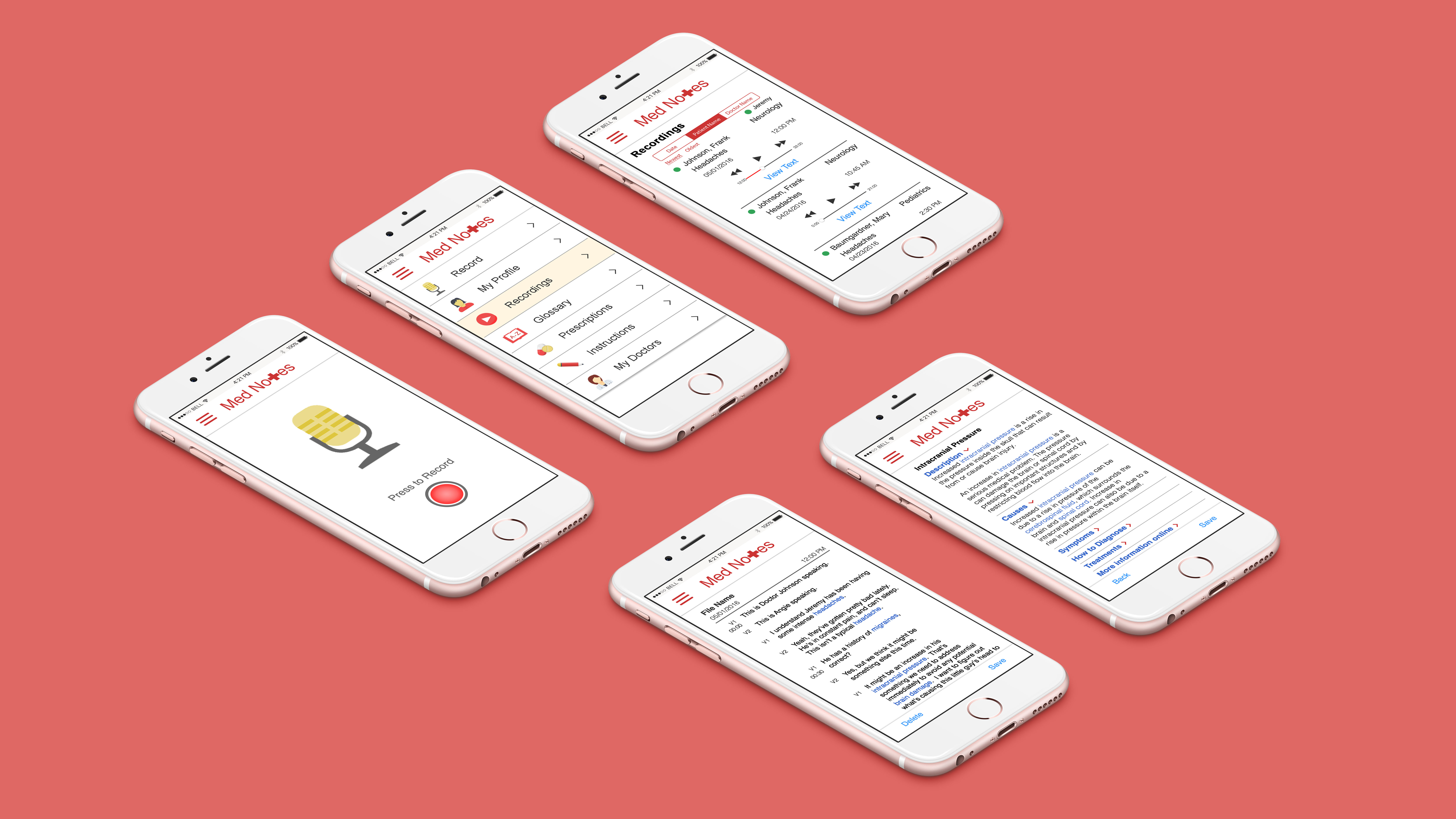
Edits made during mockup design included:
Adding full-color icons
Creating a full scenario of text that would continue through the whole prototype
Tightening alignment and spacing throughout
Changing the tab headings on the "Recordings" screen for more user-friendly sorting
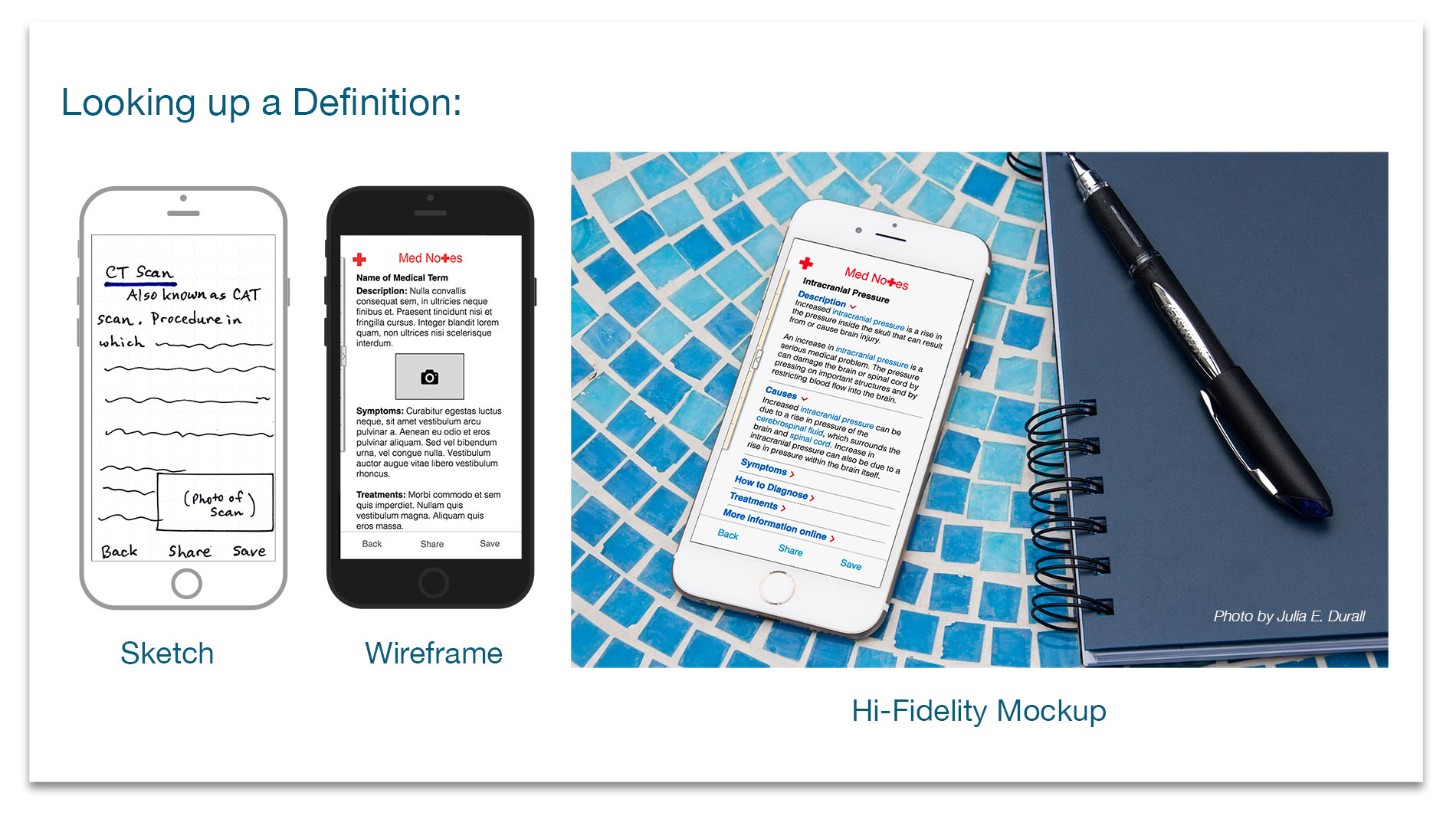
Changing the layout of the "Definitions" screen based on the quantity of content I added
One of the biggest challenges in this project was creating the text content for each screen. In the case of the “Definitions” screen, I referenced WebMD for detailed information about the medical condition I chose. What I discovered was that there was so much information available that I needed to adjust my screen interface to accommodate it. I didn’t want the user to experience an “infinite scroll”, so I chose to use an accordion pattern to consolidate the content, shown in this photo I shot to show what it would look like when Angie is using the app.
Prototype
I developed an interactive prototype using Photoshop and InVision, which you can try here. Please note, the term used for the medical definition in the prototype is "intracranial pressure", so when you tap on that, it will lead you to additional screens.
View Clickable Prototype
User Testing, Iterations, and Refinement
I was able to do in-person user testing on my phone shortly after completing the hi-fidelity prototype. With the InVision prototype on my iPhone, I was able to walk users through a scenario that would let them experience the entire app. I got a lot of positive feedback about the idea itself and also the quality of the prototype. There were questions that came up that gave me some additional insight, as well, such as whether or not it was HIPAA compliant for doctor/patient privacy. This led me to think that it might be prudent to remove the sharing feature or alter it so that the transcriptions of the appointments could not be shared, but the other areas could.
My friend Angie, who was one of the people who inspired the project, tested the finished prototype and had this to say:
Hi Julie,
It's a really impressive app! There are a lot of helpful features, and it is easy to use and understand. I would love to try it out for real at an appointment!
Angie
Needless to say, I was very happy to hear her response, and it made me feel as though the whole project was worthwhile.
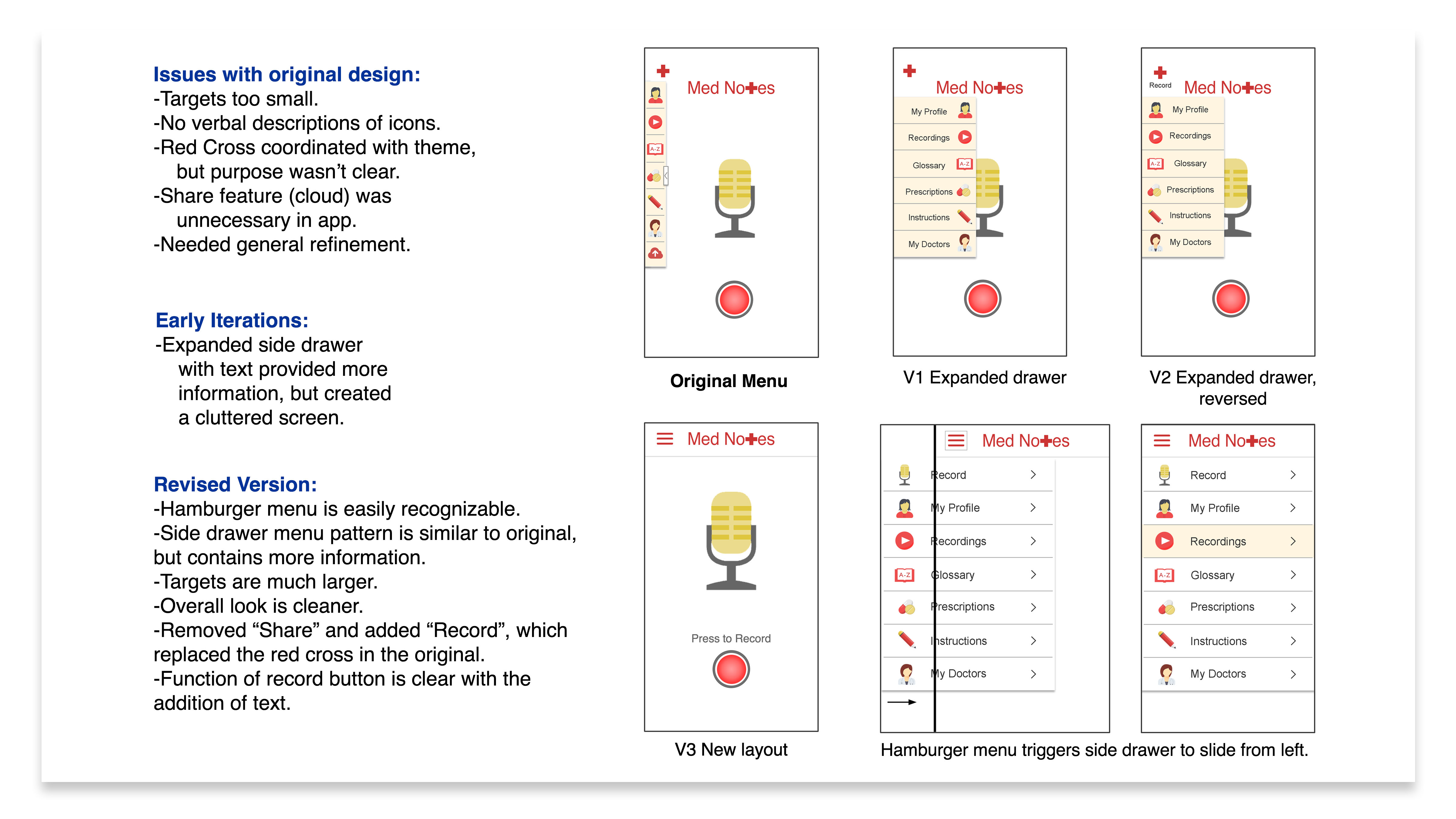
Over the course of the next several months, however, I presented this project many times, and received additional feedback and questions regarding the design of the menu and if all the features were necessary. I took it upon myself to refine my original prototype, as shown here: